Applying for jobs in Sweden usually means four tabs: Platsbanken to find jobs, your CV in Word, a blank document for the cover letter, and a spreadsheet you promise yourself you'll fill in for the aktivitetsrapport.
PlatsAI puts all of that in one place. By the end of this guide you will have:
- your CV uploaded and ready for matching
- a list of jobs sorted by how well they fit you
- a clear list of what your CV is missing for the job you want most
- a tailored cover letter for it
- the application logged, so your aktivitetsrapport fills itself
It takes about 15 minutes the first time. After that, each application takes a few.
Before you start
You need three things:
- A PlatsAI account. Sign up with Google or with your email. The 7-day free trial includes every feature and you don't need a card.
- A confirmed email. If you signed up with email, click the link we send you. Google sign-ups are confirmed straight away.
- Your CV as a PDF or Word (.docx) file, up to 5 MB. It needs to contain real text, not a photo or scan of a page. More on that in the tips below.
That's it. You don't need to connect anything to Arbetsförmedlingen.
Step 1: Upload your CV
Everything PlatsAI does is based on your CV: the match scores, the deep scans and the cover letters. So this comes first.
- Open CVs in the top menu.
- Drag your file into the upload box, or click to pick it.
- Give it a label if you like, such as "Developer CV", and click Upload CV.
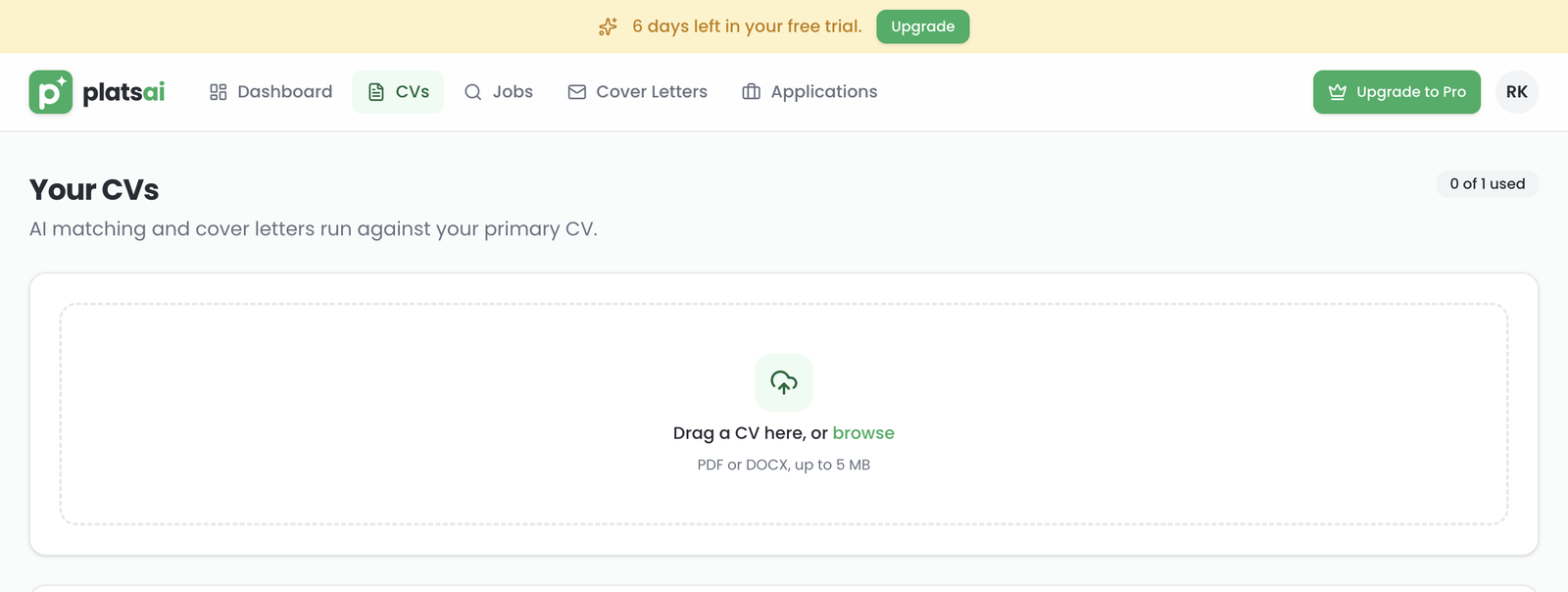
A few seconds later your CV shows up below the upload box. Your first CV becomes your primary CV, which is the one PlatsAI matches jobs against.
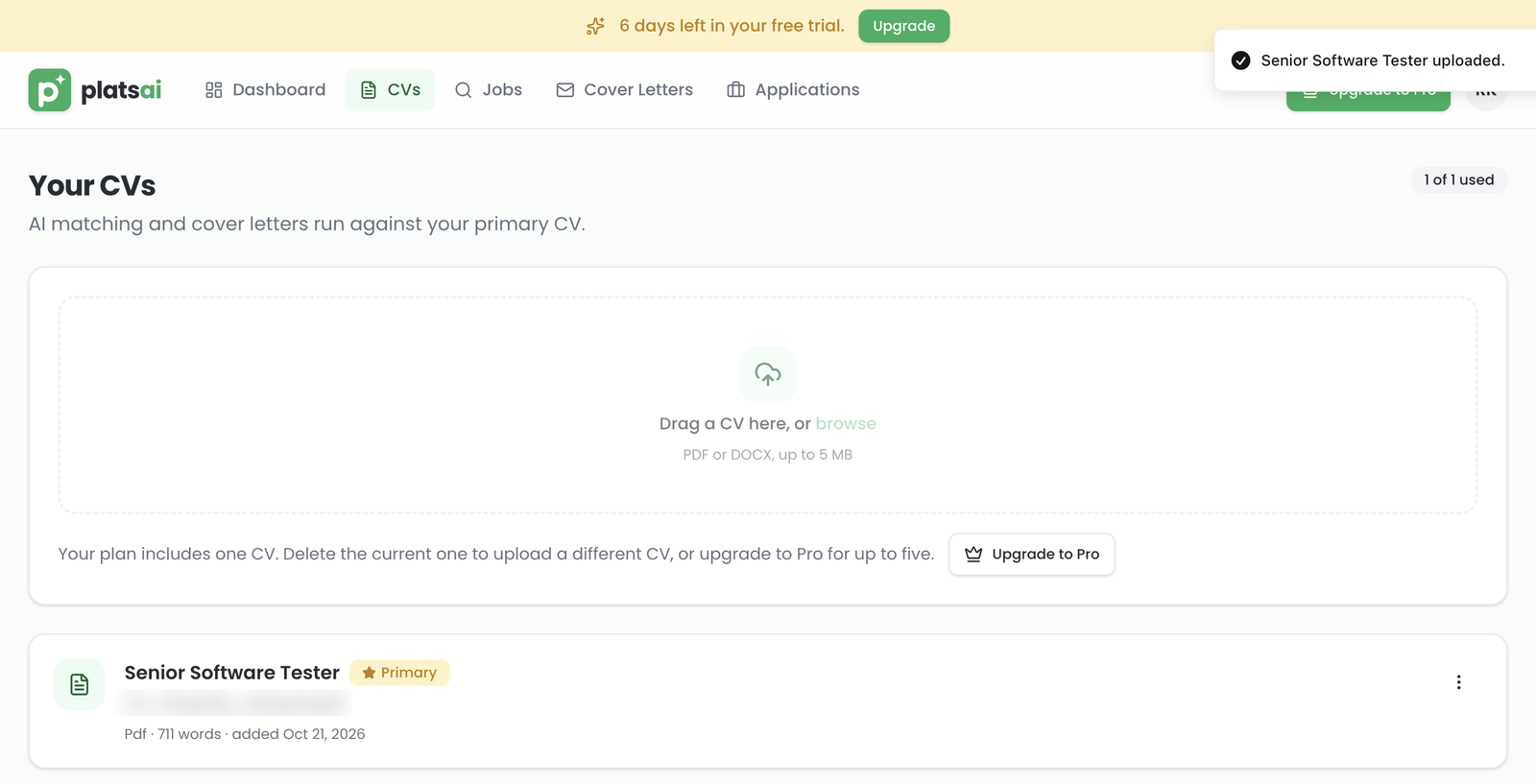
The trial and the Job Seeker plan include one CV. To try a different one, delete it from the ⋮ menu and upload the new one. Pro stores up to 5, for example one in Swedish and one in English, and you choose which is primary with Set primary.
Do it now: upload your CV.
Step 2: Search for jobs and read your match scores
PlatsAI has every job ad from Arbetsförmedlingen, the same ones you see on Platsbanken, refreshed every day.
- Open Jobs.
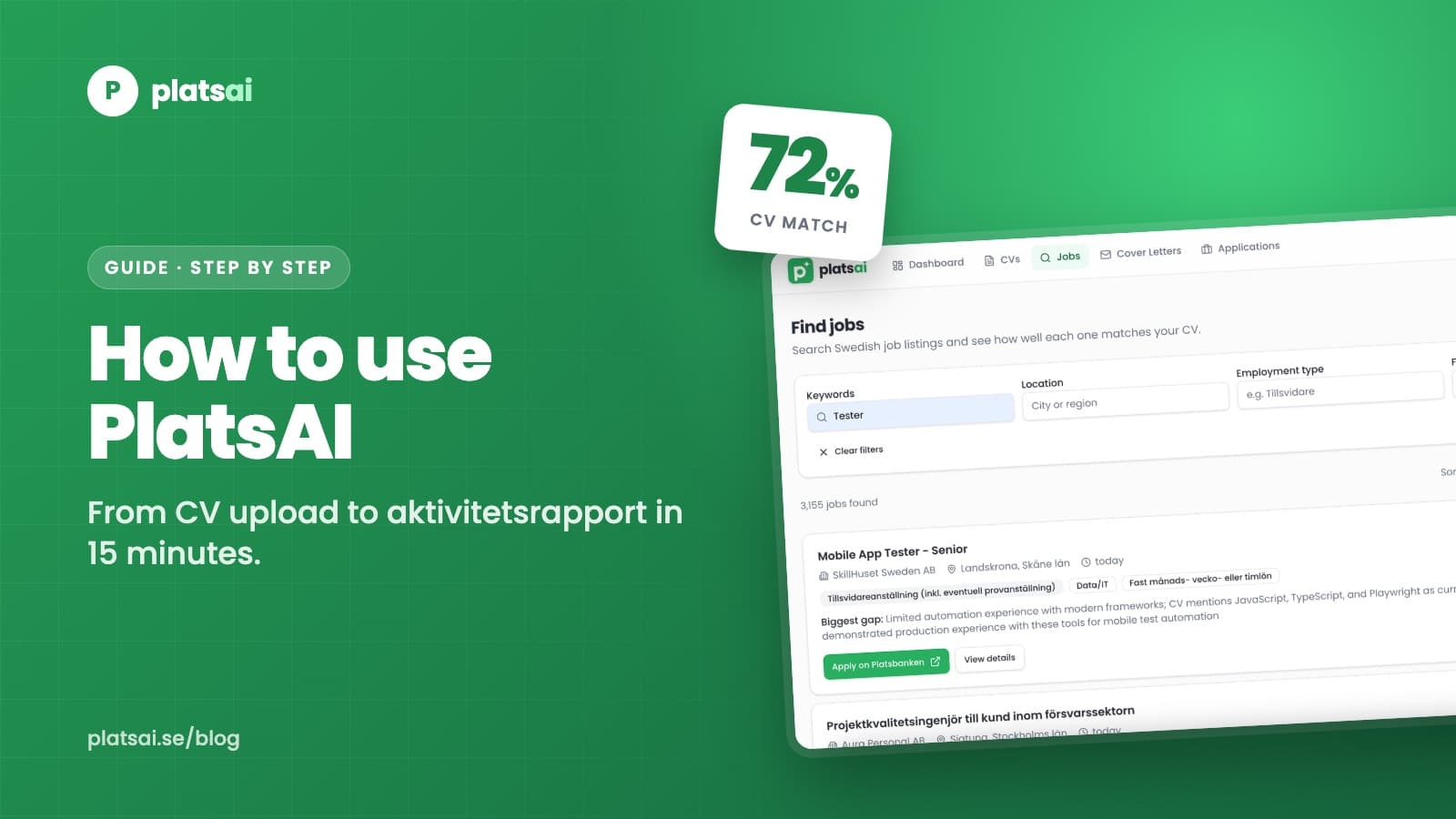
- Type a job title, skill or employer in Keywords, and a city or region in Location. Narrow it down with Employment type and Field if you want.
- Wait a few seconds. Each job gets a CV match score, and the Biggest gap between the ad and your CV.
- Switch the sort to Best CV match to put the strongest matches at the top.
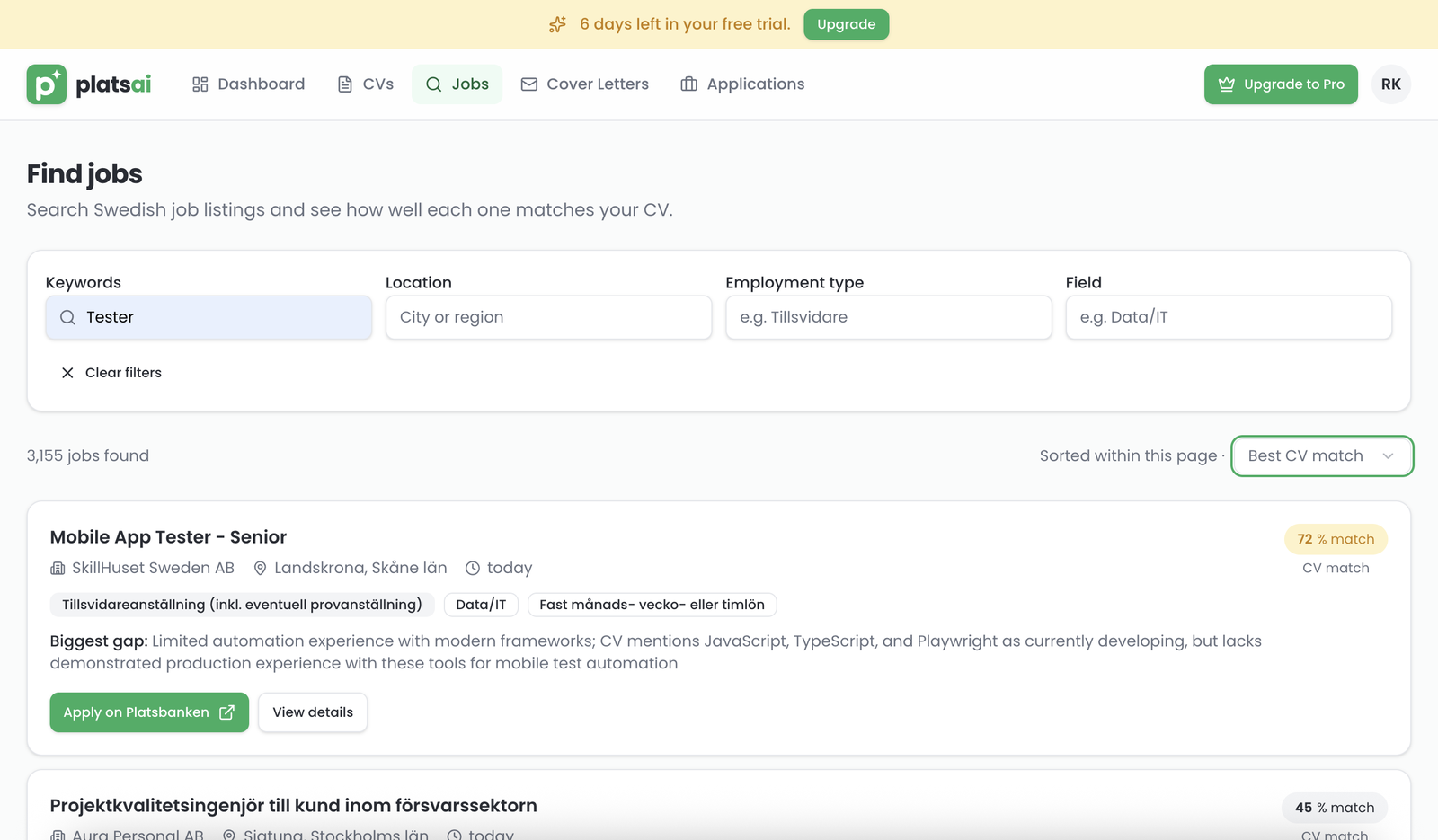
The score is an AI estimate of how well the job fits your primary CV. Use it to decide which ads are worth opening first, instead of reading 50 of them top to bottom.
Do it now: search for your next job.
Step 3: Run a deep scan on the job you want most
A match score tells you whether a job fits. A deep scan tells you why, and what to change.
- Click View details on a job.
- In the Deep scan panel, click Run deep scan. It takes up to 15 seconds.
You get:
- a score breakdown for Skills, Experience and Seniority
- the missing keywords: words from the ad that aren't in your CV
- the biggest gap, and how to close the gap
If a missing keyword is something you actually have, add it to your CV in your own words. Recruiters and screening systems look for the words from the ad.
The result is saved, so opening the job again later doesn't use another scan.
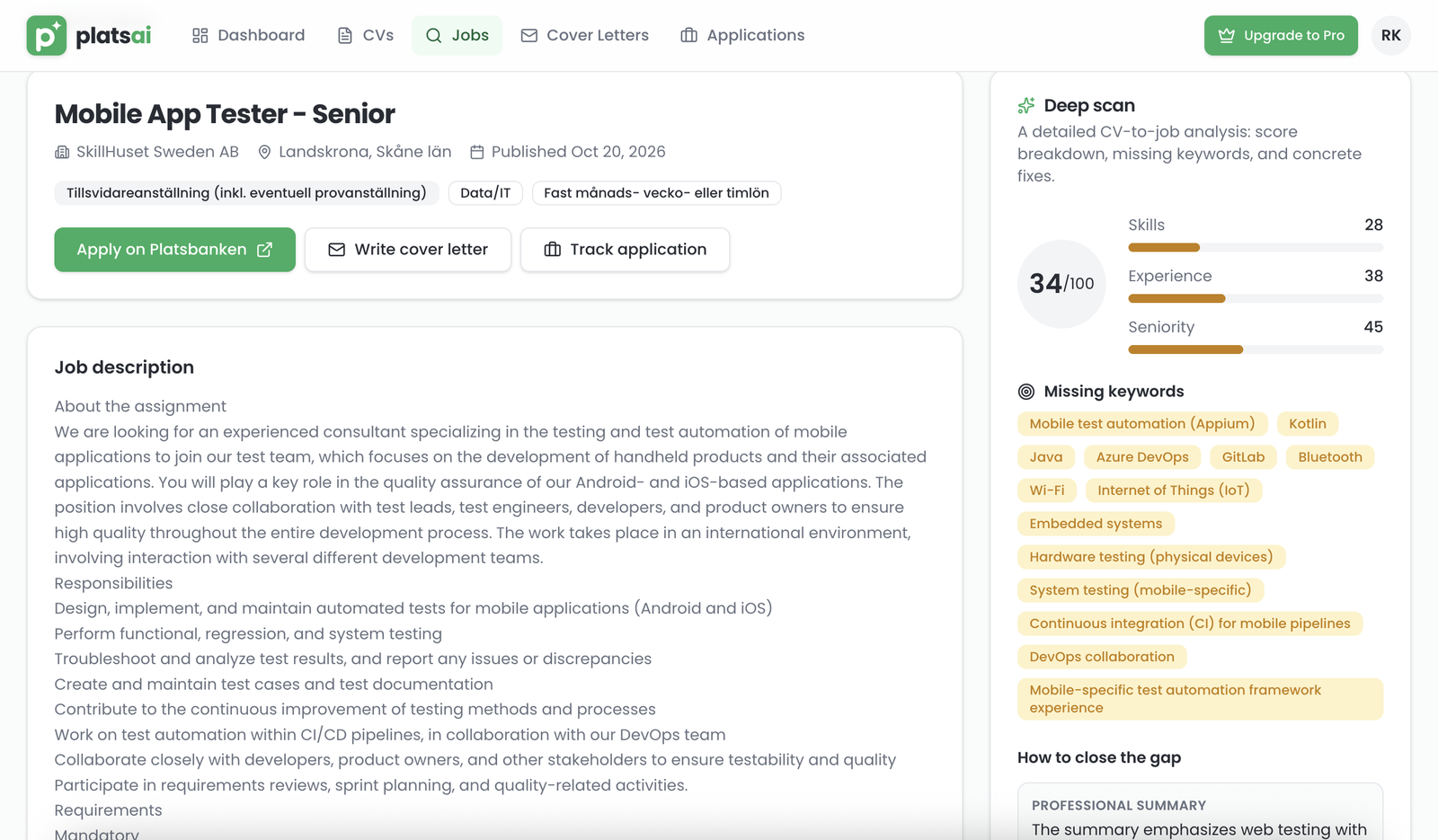
Don't be put off by a low score. In the example above, the scan shows exactly which mobile testing tools the ad asks for that the CV doesn't mention. That's your to-do list before applying.
Step 4: Write a cover letter in a minute
Still on the job page:
- Click Write cover letter. The letter is tailored to the job you're looking at, so there's nothing to paste.
- Pick the CV to write from, the Tone (formal or conversational) and the Language (English or Swedish).
- Click Generate.
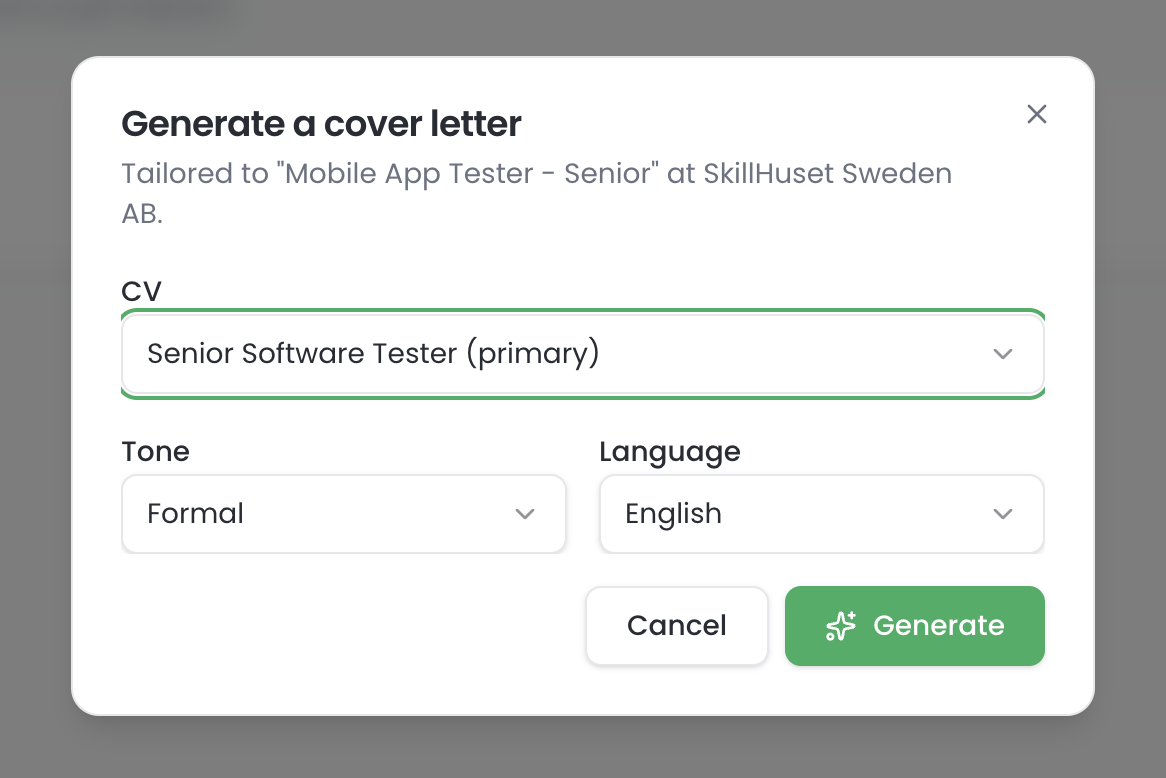
You get a letter based on your CV and that specific ad. Read it, change anything that doesn't sound like you, and copy it into your application. All your letters are kept under Cover letters, so you can reuse a good one later.
Found a job somewhere else, like LinkedIn or a company website? Open Cover letters, click Generate a cover letter and paste the ad in.
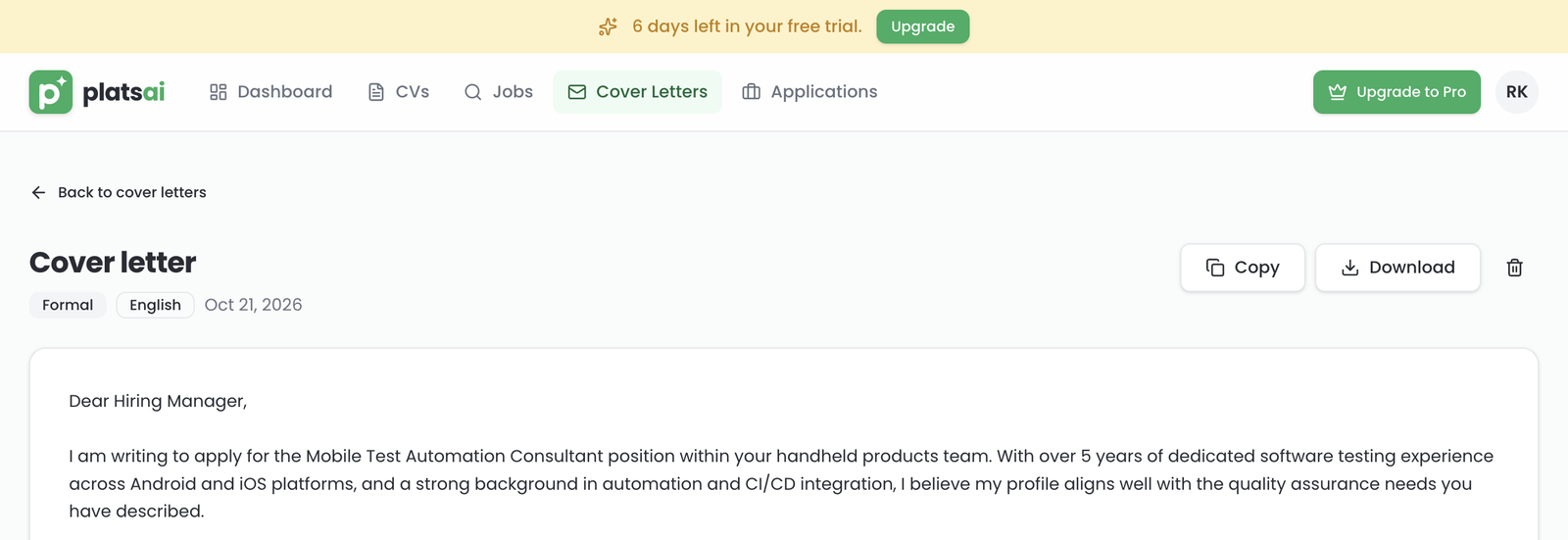
Use Copy to paste it into the application form, or Download to attach it as a file.
Step 5: Apply, then track the application
- Click Apply on Platsbanken (or Apply) to send your application on the employer's site.
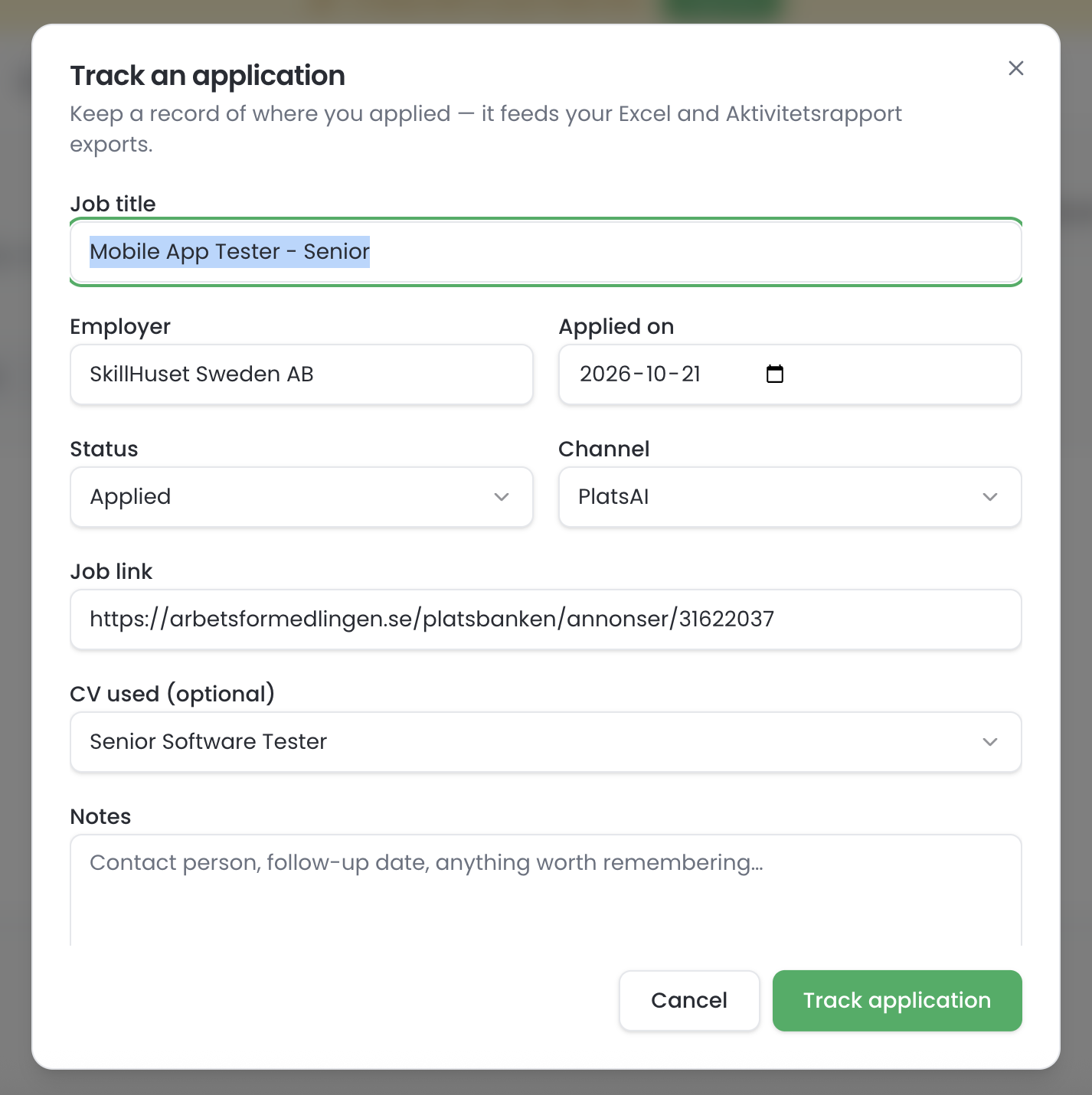
- Come back and click Track application. The form opens already filled in with the job title, employer, date and link to the ad.
- Check the details, choose the CV you used, and click Track application.
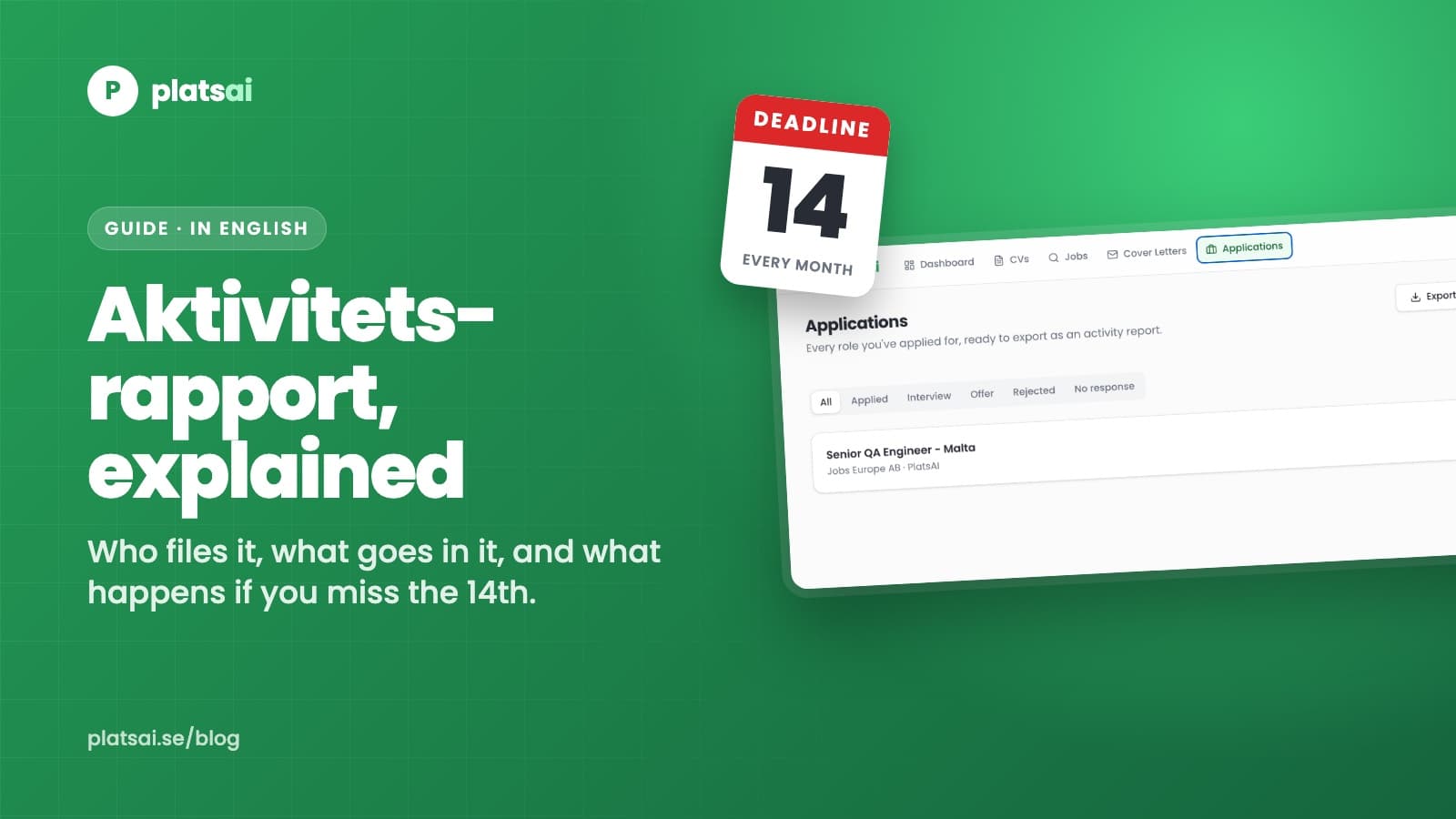
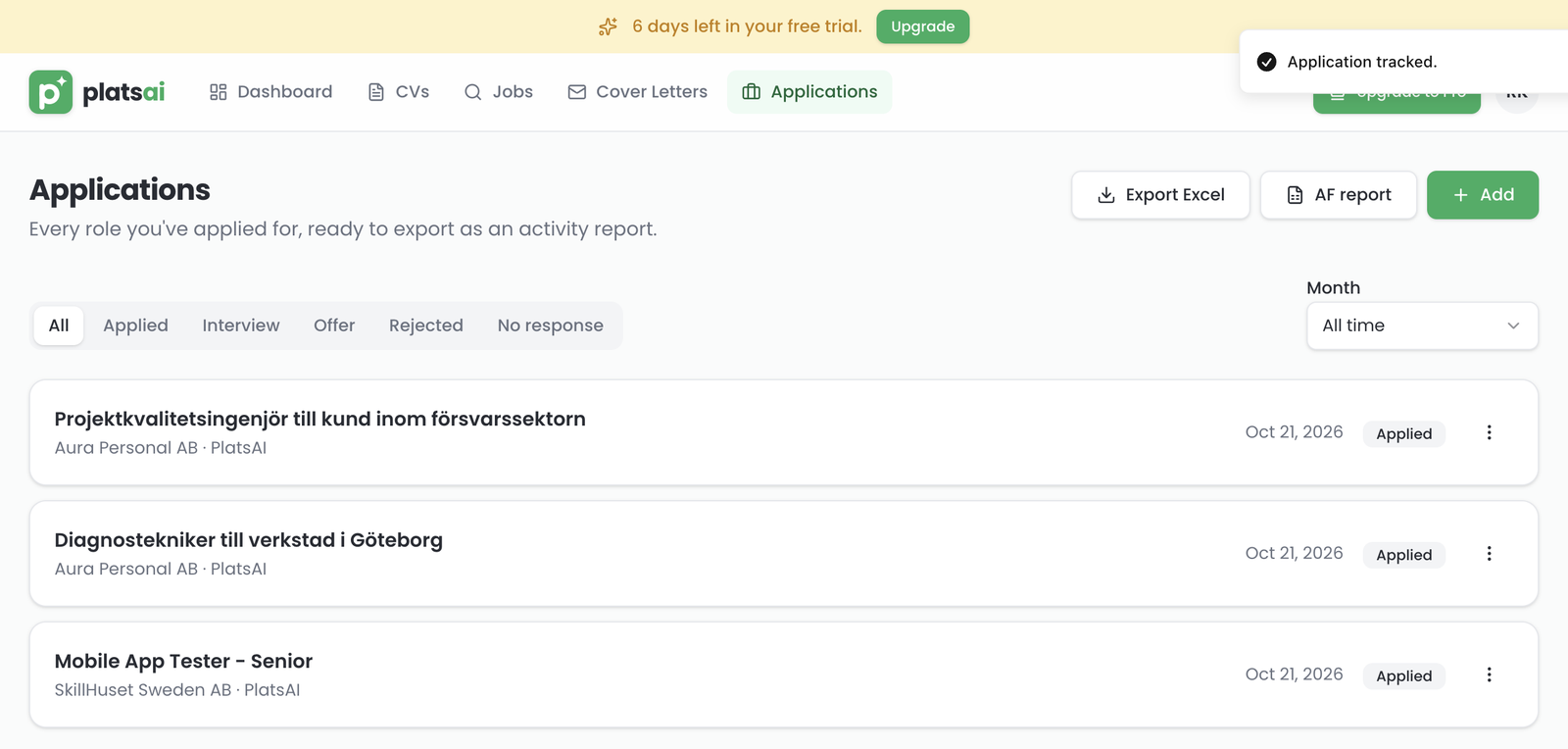
Every application is now in Applications with its date and status. When you hear back, change the status to interview, offer or rejected. Applied outside PlatsAI? Click Add and fill it in by hand in a few seconds.
Step 6: Export your aktivitetsrapport
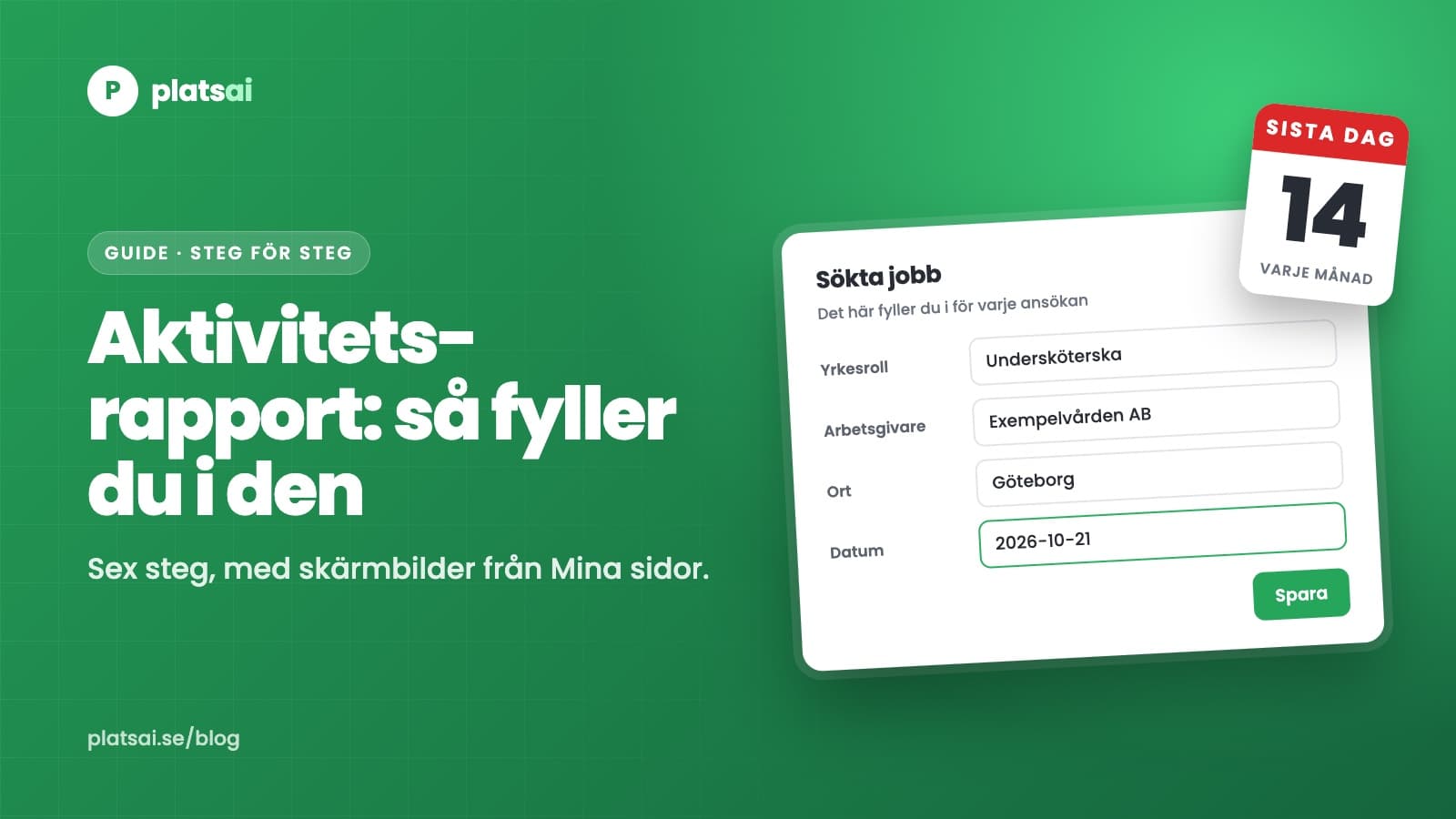
Between the 1st and the 14th of each month you report last month's activities to Arbetsförmedlingen. With everything tracked, that's a few minutes of copying.
- Open Applications.
- Click AF report and pick the month.
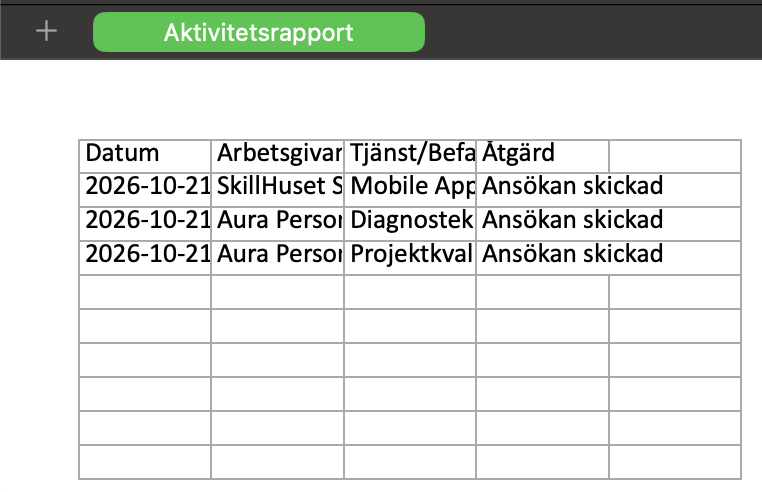
- Open the Excel file. It has the columns the report asks for, in Swedish: Datum (date), Arbetsgivare (employer), Tjänst/Befattning (job title) and Åtgärd (what you did, such as "Ansökan skickad", application sent).
- Log in to Mina sidor with BankID and copy the rows across.
Export Excel gives you the full list with a monthly summary, if you want to see how your search is going.
PlatsAI doesn't submit the report for you, and it isn't connected to Arbetsförmedlingen. You still send it yourself. I wrote more about the rules in Aktivitetsrapport in English.
Tips and troubleshooting
"I don't see any match scores." Check two things. You need a CV uploaded, and you need to search for something. Match scores appear once you type a keyword or location, not on the unfiltered list. If your trial has ended, scores are part of the paid plans, and jobs you already scored still show theirs.
"My scores look wrong, or the cover letter ignores my experience." Your CV is probably a scanned image or a PDF made from a photo, so there's no text to read. Export it again from Word, Google Docs or Canva as a PDF or .docx, and upload that one. Also check that the CV you want to use is set as Primary.
"I can't use anything after signing up." Your email isn't confirmed yet. Look for the email from PlatsAI, including in spam and the Promotions tab, and click the link. You can send a new link from the screen you see after logging in. Or sign in with Google, which skips this step.
One more habit worth building: track the application the same minute you send it. That's the whole trick to a stress-free aktivitetsrapport.
Start now
The free trial gives you 7 days with every feature: unlimited match scores, 15 deep scans a day and unlimited cover letters. No card needed. After the trial, the Job Seeker plan is 149 SEK a month and Pro is 249 SEK a month. If you don't pick a plan, you can still search jobs and track applications for free.
Start your free trial and upload your CV
Stuck on something this guide doesn't cover? Email me at hello@platsai.se. I read every message.